How does driver-owner messaging work in TTMS Fleet Mini?
Fleet Mini can open one conversation room per load between the driver and owner. The room can contain messages, operational events and secure links to documents, then move from active chats to history when the load is complete.
TTMS FLEET MINI
Load communication,
in your pocket.
Keep driver-owner messages, system events and secure document links inside a single load room that moves to history when the trip closes.
Explore the app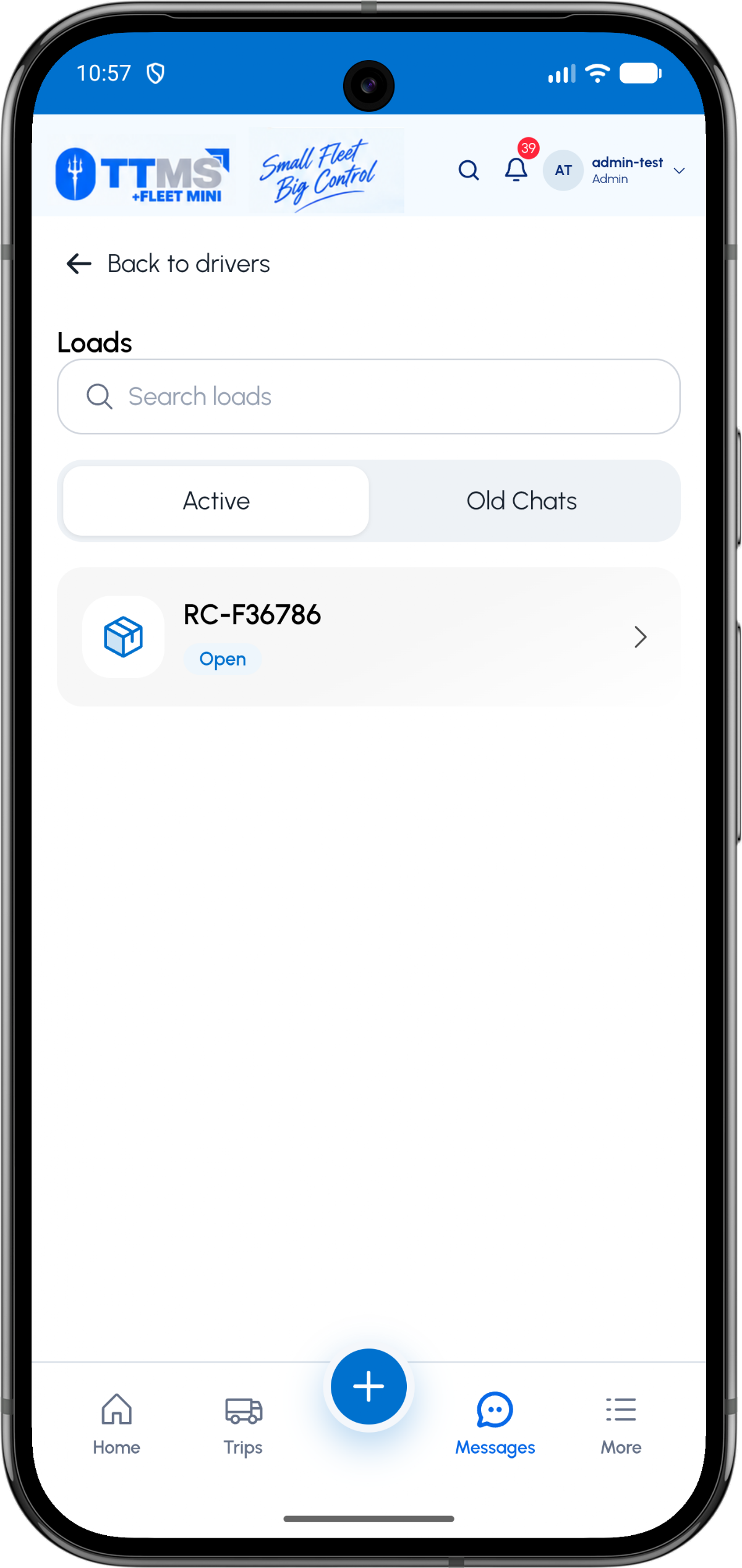
- Conversation key
- Load ID
- Participants
- Assigned driver and owner team
- Content
- Messages, events and secure document links
- Lifecycle
- Active during trip, historical after closure
One room per load
A conversation keyed by load ID prevents files and instructions from two trips from mixing together. The driver can use a Message Owner action without searching for a contact or channel.
The owner can begin from a driver and see that driver’s active and historical load rooms.
Blend human and system context
Useful rooms include human messages plus carefully chosen events such as load accepted, document uploaded, pickup completed or POD requested.
System events should be visually distinct and should link back to the authoritative Fleet Mini record.
Close without losing history
When the load closes, the room becomes read-only or historical according to policy. This keeps the active list focused without deleting useful operational context.
Secure document access should continue to enforce Fleet Mini permissions rather than exposing public file URLs.
OPERATIONAL SEQUENCE
A workflow an owner and driver can both follow
The route ribbon makes the relationship between actions visible. Each step leaves context for the next person and the final review.
- 1Driver taps Message Owner
- 2Backend resolves the load room
- 3Messages and events stay load-specific
- 4Documents open securely in Fleet Mini
- 5Room moves to history at completion
QUESTIONS & ANSWERS
Questions fleets ask
Does the driver need to choose a chat contact?
No. The load context can resolve the correct owner conversation when the driver taps Message Owner.
Can system events appear in the room?
Yes. Selected load events can appear as internal system messages with a distinct visual treatment.
Should documents be uploaded directly to chat?
The authoritative upload should stay in Fleet Mini. Chat can carry a secure link or event pointing to the protected document.
What happens after the load is completed?
The room can move to Old Chats or history while preserving the conversation for authorized review.
Last reviewed: September 18, 2026. Product scope and terminology checked against the current mobile experience.