What can a driver do in TTMS Fleet Mini?
A driver can view assigned loads, follow ordered pickup and delivery stops, send trip updates, upload load documents, record approved expenses and message the owner from a mobile workflow tied to the correct load.
TTMS FLEET MINI
For drivers,
in your pocket.
TTMS Fleet Mini gives drivers a focused mobile workflow for assigned loads, ordered stops, status updates, documents, expenses and owner messaging.
Explore the app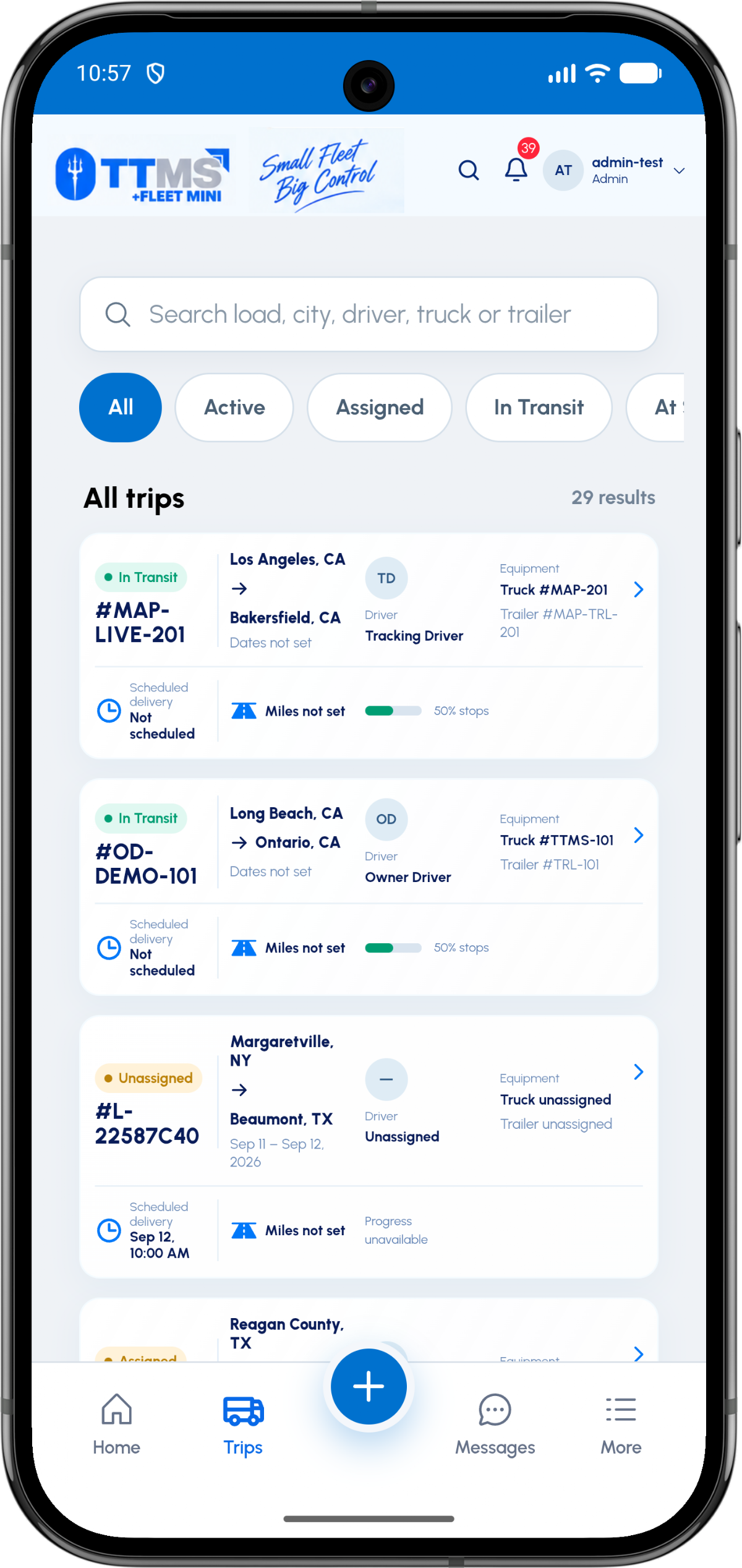
- Mobile focus
- Assigned work and next actions
- Stop support
- Ordered pickups and deliveries
- Evidence
- Load and stop-linked documents
- Communication
- Driver-owner load room
Start with assigned work
The driver experience should answer three questions quickly: what load am I working, where do I go next and what action is expected there? Fleet Mini keeps these answers connected to the load.
Status and stop progress are visible without requiring the driver to interpret a back-office dispatch screen.
Capture proof at the source
A document uploaded from the road can be associated with the load and, when relevant, the pickup or delivery stop. That context matters more than a photo sitting in a general gallery.
The same principle applies to fuel and other trip expenses: capture the record while the details are fresh.
Keep communication load-specific
Driver-owner messages are most useful when they remain attached to the active load. The room can carry updates, documents and system events, then move to history when the load closes.
This reduces the risk of mixing instructions or files from two different loads.
OPERATIONAL SEQUENCE
A workflow an owner and driver can both follow
The route ribbon makes the relationship between actions visible. Each step leaves context for the next person and the final review.
- 1Review assignment
- 2Confirm the next stop
- 3Update arrival or departure
- 4Upload required proof
- 5Complete the trip
QUESTIONS & ANSWERS
Questions fleets ask
Does a driver need to see the owner dashboard?
No. Driver routes can present only the assignments, stops, documents and communication needed to perform the trip.
Can a driver upload a BOL or POD?
Yes. BOL and POD files can be uploaded against the relevant load and stop so the owner can review them in context.
Does the app support multiple stops?
Yes. A load can contain multiple ordered pickups and deliveries, with progress represented per stop.
Can a driver message the owner?
Yes. A load-specific message action can open the driver-owner conversation for that trip.
Last reviewed: September 18, 2026. Product scope and terminology checked against the current mobile experience.