What is a trip envelope in TTMS Fleet Mini?
A trip envelope is the review package for a completed load. It brings together stop evidence, documents, odometer or mileage entries, expenses, payment context and completion checks before the assigned driver and equipment are released.
TTMS FLEET MINI
Driver paperwork,
in your pocket.
Collect a completed load’s documents, mileage, expenses, payments and review status in a digital trip envelope before releasing equipment.
Explore the app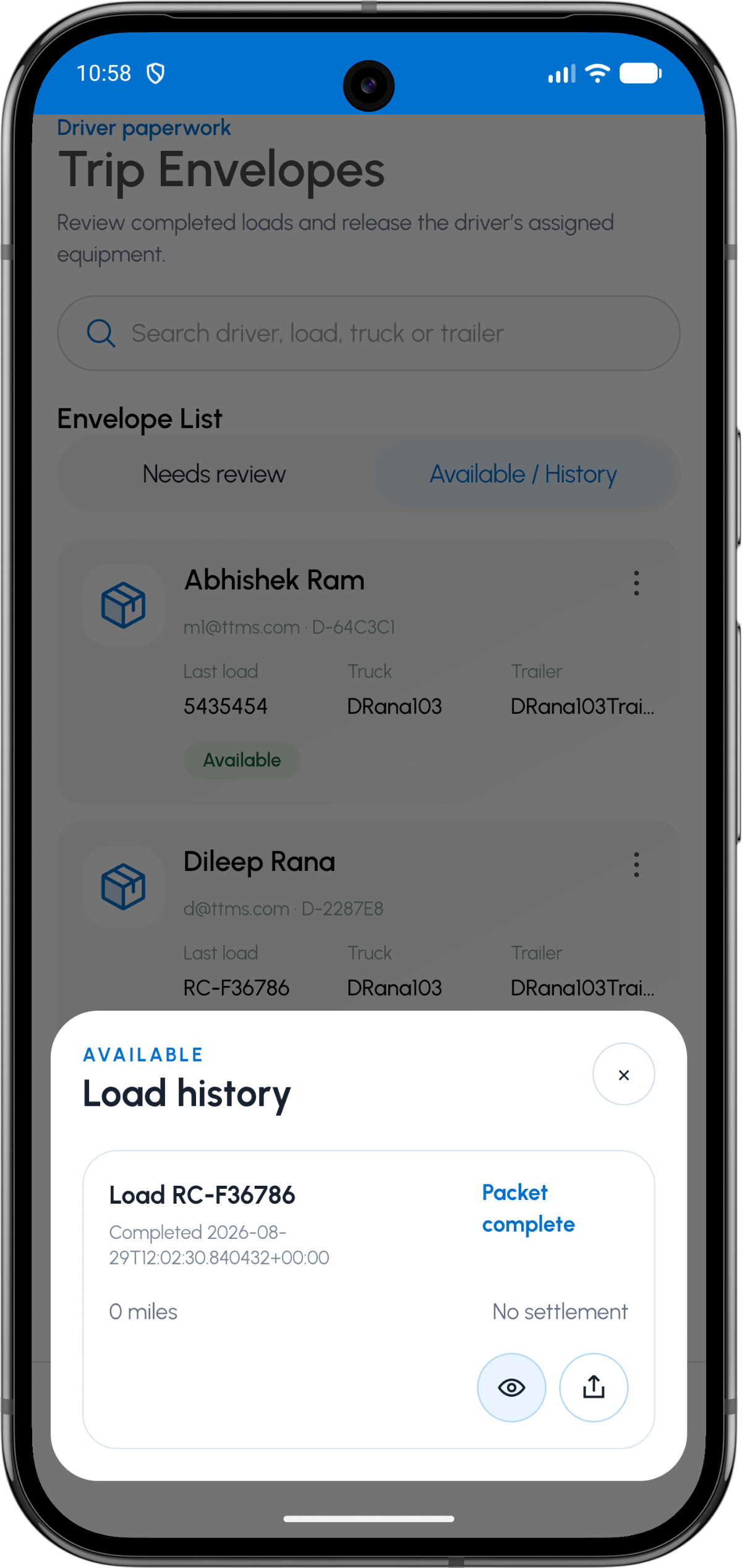
- Parent record
- Completed load
- Review states
- Needs review, available and history
- Included context
- Documents, mileage, costs and payment status
- Outcome
- Packet completion and resource release
A completion gate, not another folder
The envelope exists to answer whether the load record is complete enough to close. It should surface missing documents, unresolved costs or unreviewed mileage instead of merely storing files.
A needs-review queue lets the owner prioritize exceptions before the load disappears into history.
Release resources deliberately
A driver, truck or trailer may still be tied to the completed trip while paperwork is under review. The close action can release those resources only after required checks pass.
This is especially useful for small fleets where the same equipment must turn quickly to the next load.
Preserve an audit trail
The envelope should show who uploaded or reviewed each item and when. Later exports can reference the same load-level source records.
Sharing or printing should produce a human-readable package without changing the underlying record.
OPERATIONAL SEQUENCE
A workflow an owner and driver can both follow
The route ribbon makes the relationship between actions visible. Each step leaves context for the next person and the final review.
- 1Load reaches delivered state
- 2Envelope checks required items
- 3Reviewer resolves missing evidence
- 4Packet becomes complete
- 5Driver and equipment are released
QUESTIONS & ANSWERS
Questions fleets ask
Is a trip envelope the same as a POD?
No. A POD can be one required document inside the broader trip envelope.
What should an envelope check?
Typical checks include delivery evidence, required documents, odometer or mileage values, expense receipts, exception resolution and settlement context.
Can an old envelope be viewed again?
Yes. Completed envelopes can remain in history for later review or export according to the fleet’s retention policy.
Does closing an envelope delete the trip?
No. Closing marks the review package complete and preserves the underlying operational history.
Last reviewed: September 18, 2026. Product scope and terminology checked against the current mobile experience.